 cvTunes by Superior Sound
The bar jukebox, in your home.
No CDs to rip, no album art to hunt down. cvTunes plays straight from Apple Music and Spotify on a touchscreen anyone can use, and picking a song never wipes out what’s already lined up.
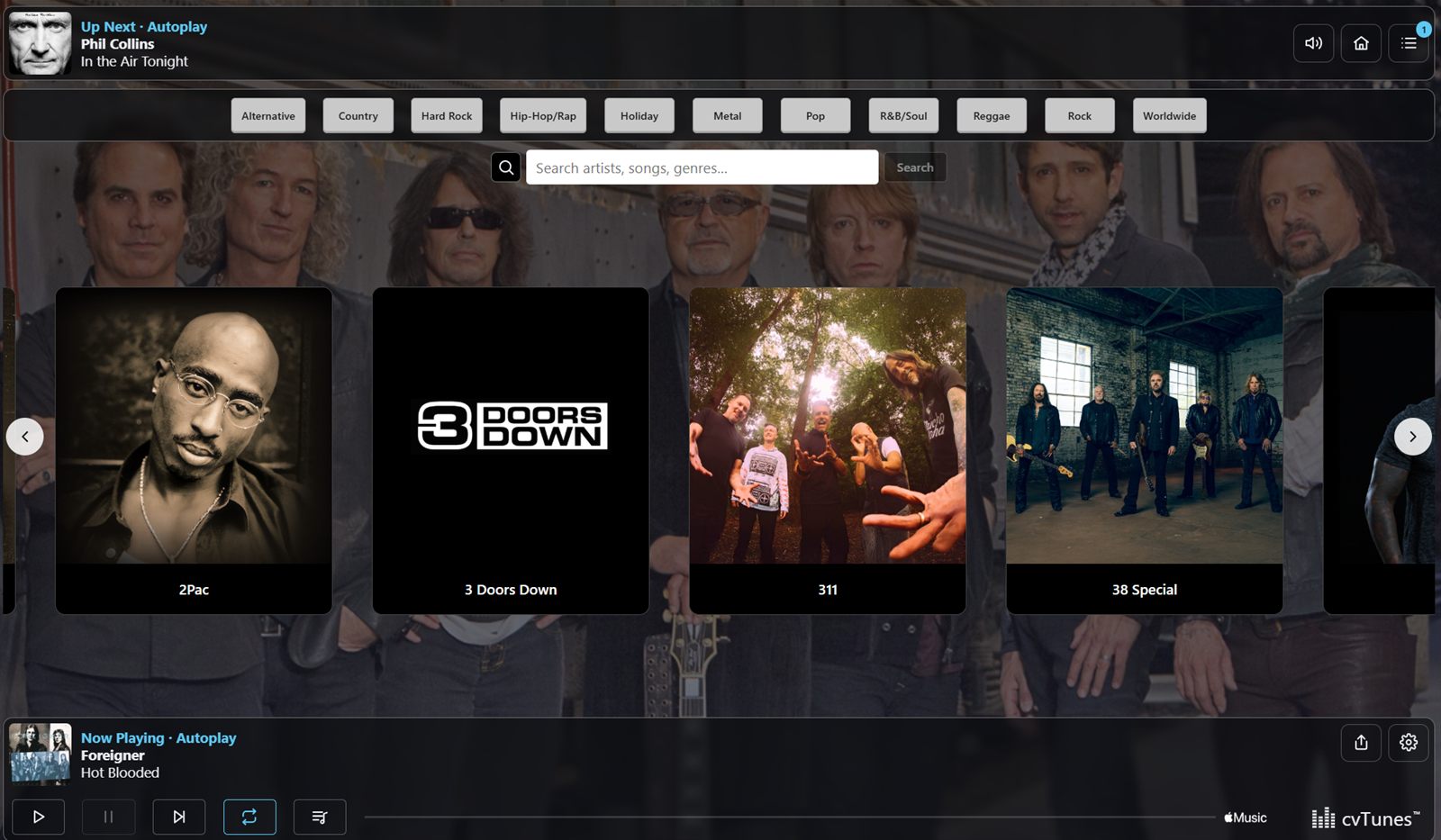
See cvTunes in action
Browse your artists, search Apple Music and Spotify, and line up the next song in a couple of taps.
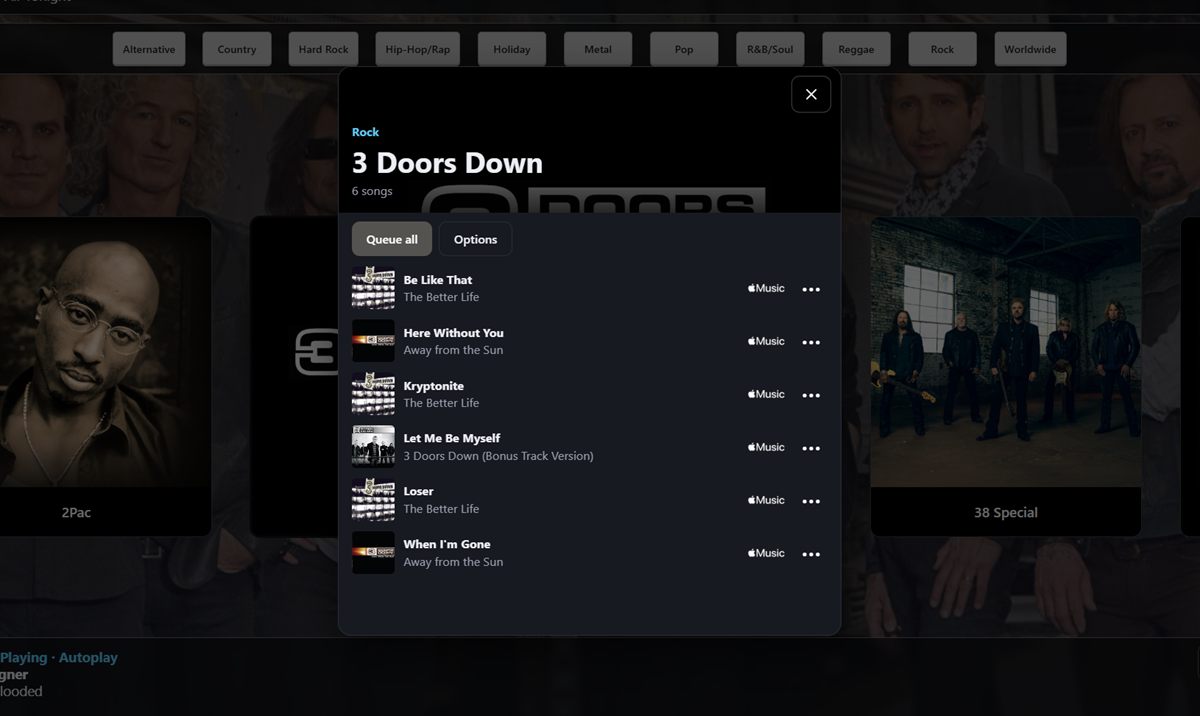
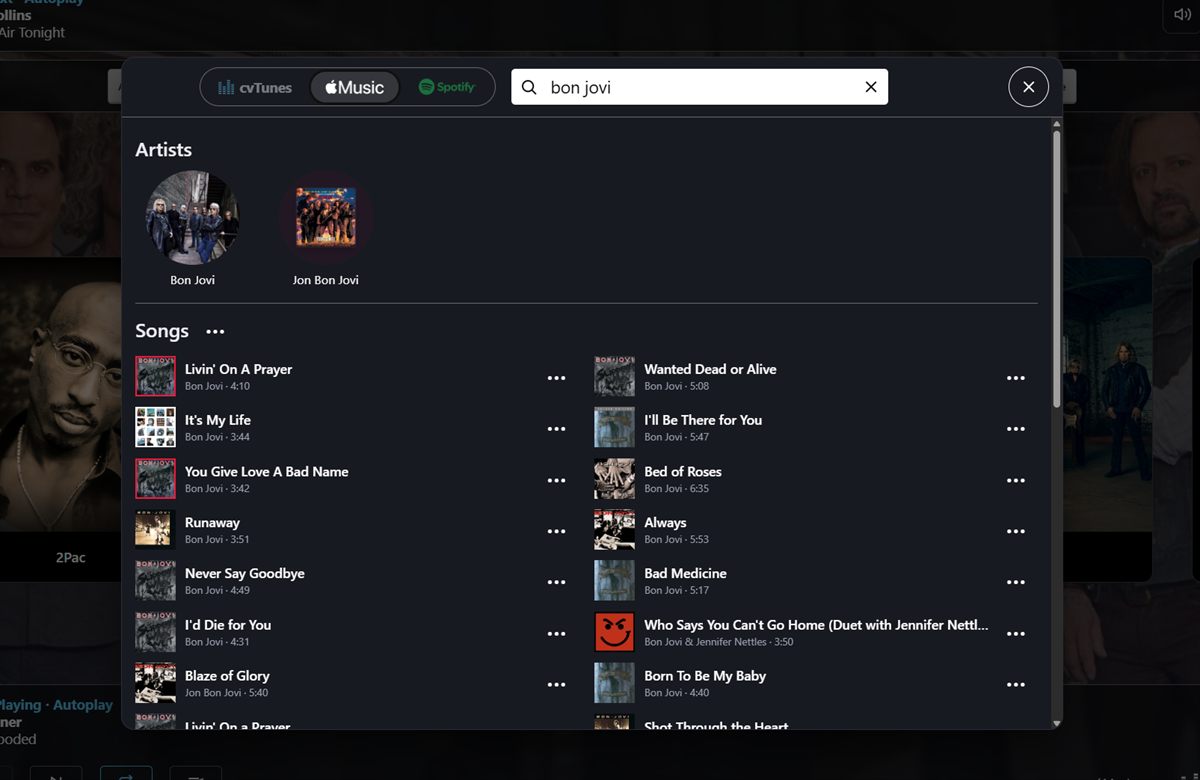
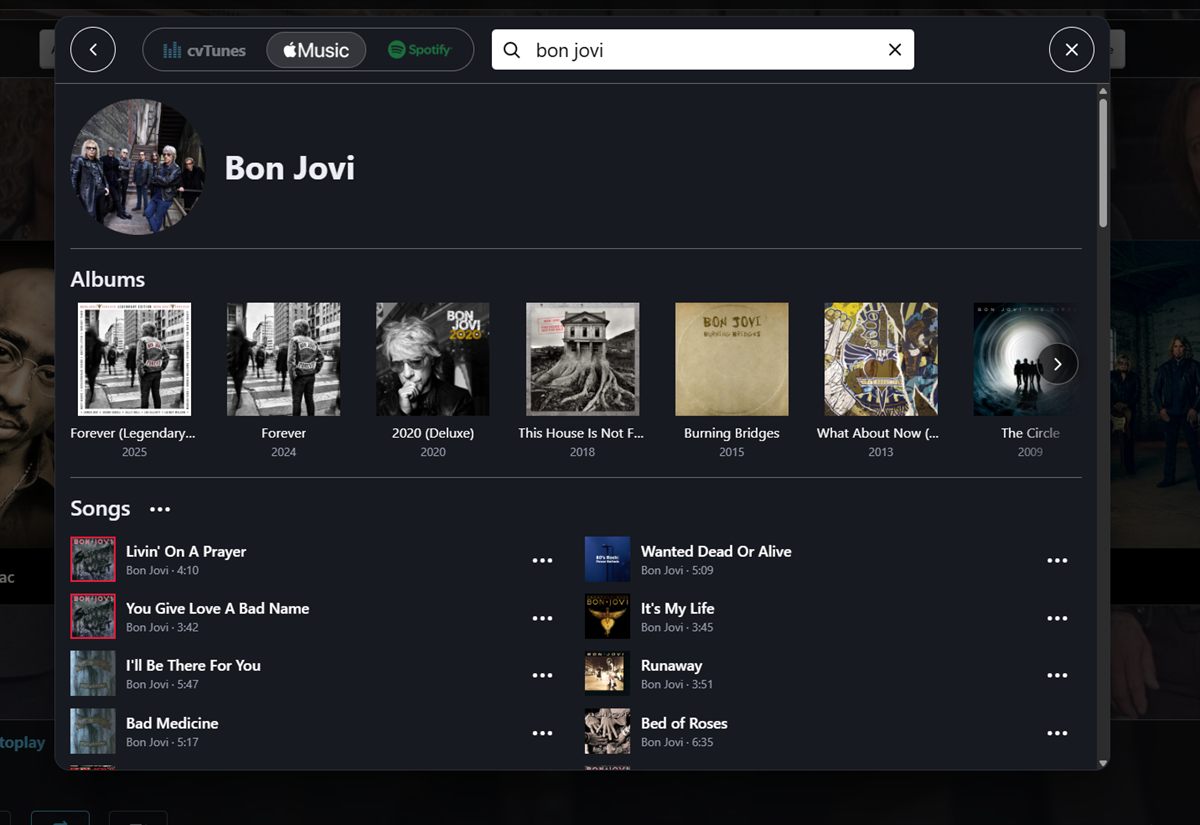
Everything a party needs, nothing it doesn’t
Built for the basement bar, the garage and the man cave: a big friendly screen, a queue that behaves, and guests who can join in without your passwords.
Apple Music + Spotify
Search both services in one place and keep your favorite artists as tiles on the home screen.
A queue that stays put
Picking a song adds it to the line. It never replaces the queue the way most music apps do.
Touchscreen kiosk
Big tiles, an artist carousel and a Now Playing panel, made for fingers, not mice.
TV player screen
Send album art, music videos and Now Playing to a second screen while the touchscreen stays the remote.
Party Mode
Lock editing, deleting and Settings behind a PIN so guests can play songs but can’t rearrange your library.
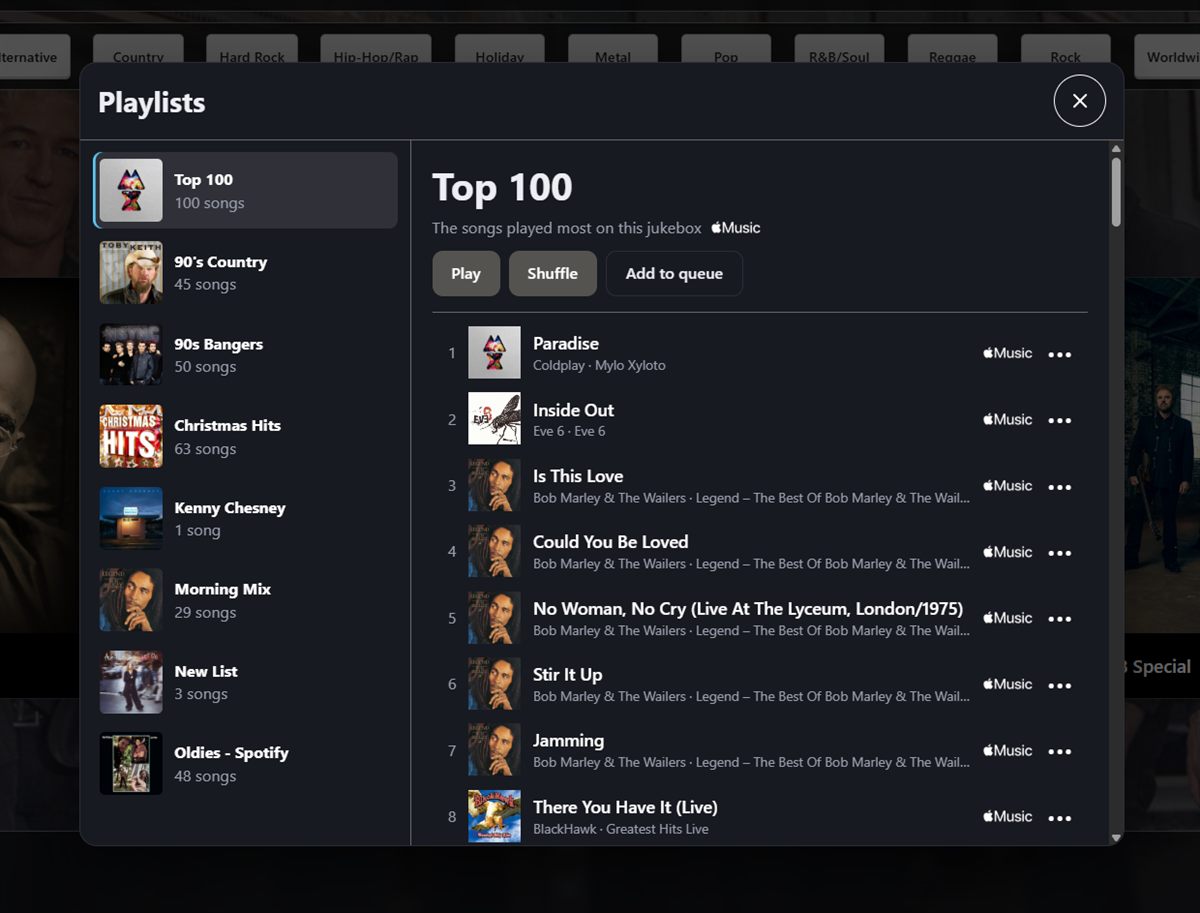
Top 100 Pro
cvTunes remembers what gets played and builds a Top 100 playlist of your house favorites.
Updates itself
New versions download in the background and install overnight, when nothing is playing.
Guest requests Pro
Guests scan a QR code and request songs from their own phones. No app to install.
Phone & iPad remote Pro
Run the jukebox from your phone, or use an iPad as the main touchscreen with the PC tucked in the rack.
Sonos Pro
Play to any Sonos room or group, and set volume per room, right from the jukebox.
Autoplay Pro
When the queue runs dry, cvTunes keeps the music going with songs that fit what’s been playing.
Playlists Pro
Build your own playlists, mixing Apple Music and Spotify songs side by side.
Let the whole room DJ
Put a QR code on the bar. Guests on your Wi-Fi scan it, search Apple Music or Spotify and send requests to the queue. Your accounts, playlists and settings stay locked away.
- Guest App: search and request from any phone
- Admin Remote: the full jukebox on your phone, paired by QR code
- iPad panel: the full kiosk on a tablet, music still from the PC


Style it to match your room
Every part of the jukebox’s look is yours to change in Settings → Appearance, and you see each change on the screen as you make it. Match the bar, the team colors or the décor.
- Fonts, text, label and button colors
- Solid or gradient backgrounds, with the playing artist’s photo behind it all
- Artist tile size, borders, corners and name style
- Genre buttons, menu bars and visualizer colors
Included free. Change it back to the original look any time.
Free to play. Pro to party.
Playing music is always free. Pro unlocks Sonos, phones and the extras. Upgrade any time from Settings on the jukebox: scan the code and pay on your phone.
Free
- Apple Music and Spotify playback
- Touchscreen kiosk and TV player screen
- Artist tiles and your music library
- Party Mode
- Fully customizable look
- Automatic updates
Pro yearly
- Everything in Free
- Sonos rooms and groups
- Guest App, Admin Remote and iPad panel
- Autoplay, lyrics and visualizer
- Playlists and Top 100, mixing Apple + Spotify
- Song editing
Pro monthly
- Everything in Pro yearly
- Billed month to month
- Manage or cancel from the jukebox
| Feature | Free | Pro |
|---|---|---|
| Apple Music & Spotify playback | ✓ | ✓ |
| Touchscreen kiosk & TV player screen | ✓ | ✓ |
| Party Mode (PIN lock) | ✓ | ✓ |
| Custom colors, fonts, backgrounds & tiles | ✓ | ✓ |
| Sonos | — | ✓ |
| Guest App (phone requests) | — | ✓ |
| Admin Remote & iPad panel | — | ✓ |
| Autoplay | — | ✓ |
| Lyrics & visualizer | — | ✓ |
| Playlists & Top 100 (Apple + Spotify mixed) | — | ✓ |
| Edit song details | — | ✓ |
Up and playing in minutes
Download
Run the installer. No administrator needed, and it’s digitally signed by Superior Sound.
Sign in
Create your free cvTunes account with just your email and a 6-digit code.
Connect music
Sign in to Apple Music, Spotify Premium, or both.
Add artists
Search for your favorites and add them as tiles. Then hit play.
Download cvTunes for Windows
Version 2 · Windows 10 or 11 · about 60 MB. Already on cvTunes 1? Install 2.0 and it brings your artists and playlists across.
What you need
- A Windows 10 or 11 PC (a small mini PC is perfect)
- A touchscreen, or an iPad with Pro
- An Apple Music subscription or Spotify Premium
- A free cvTunes account
- Speakers, an amplifier or Sonos
Installer tip
For phones and tablets to stay connected, give the jukebox PC a static IP address from a range outside your router’s DHCP pool. Phones pair with the PC’s address, so if it changes they have to pair again.
Good questions
Do I need a music subscription?
Yes. cvTunes plays music from your own Apple Music or Spotify account. Spotify playback requires Spotify Premium.
Why do I need a cvTunes account if I only use Free?
Your free account connects the jukebox to Apple Music and Spotify and lets you upgrade later. It’s just an email address; there’s no password to remember.
Will Pro ever stop my music from playing?
No. Playback is never locked behind Pro. If a subscription lapses, the Pro extras turn off and the jukebox keeps playing.
Does it work on a Mac or with an iPad alone?
cvTunes runs on a Windows PC. With Pro, an iPad can be the touchscreen, but the music still plays from the PC.
How do updates work?
cvTunes checks for updates every few hours, downloads them in the background and installs them between 3 and 5 am. You can also restart to update from Settings.
Can Superior Sound set it up for me?
Yes. We install cvTunes jukeboxes with touchscreens, speakers and Sonos. Contact us for a quote.
Questions, quotes and installs
Want help setting up cvTunes, or a professionally installed jukebox for your home or business? Send us a message and we’ll get back to you shortly.
Contact Superior Sound- Company
- Superior Sound Audio LLC
- Location
- Fort Loramie, Ohio
- Since
- 2009
- Web
- superiorsoundaudio.com